Walk home
Let someone know
you got home.
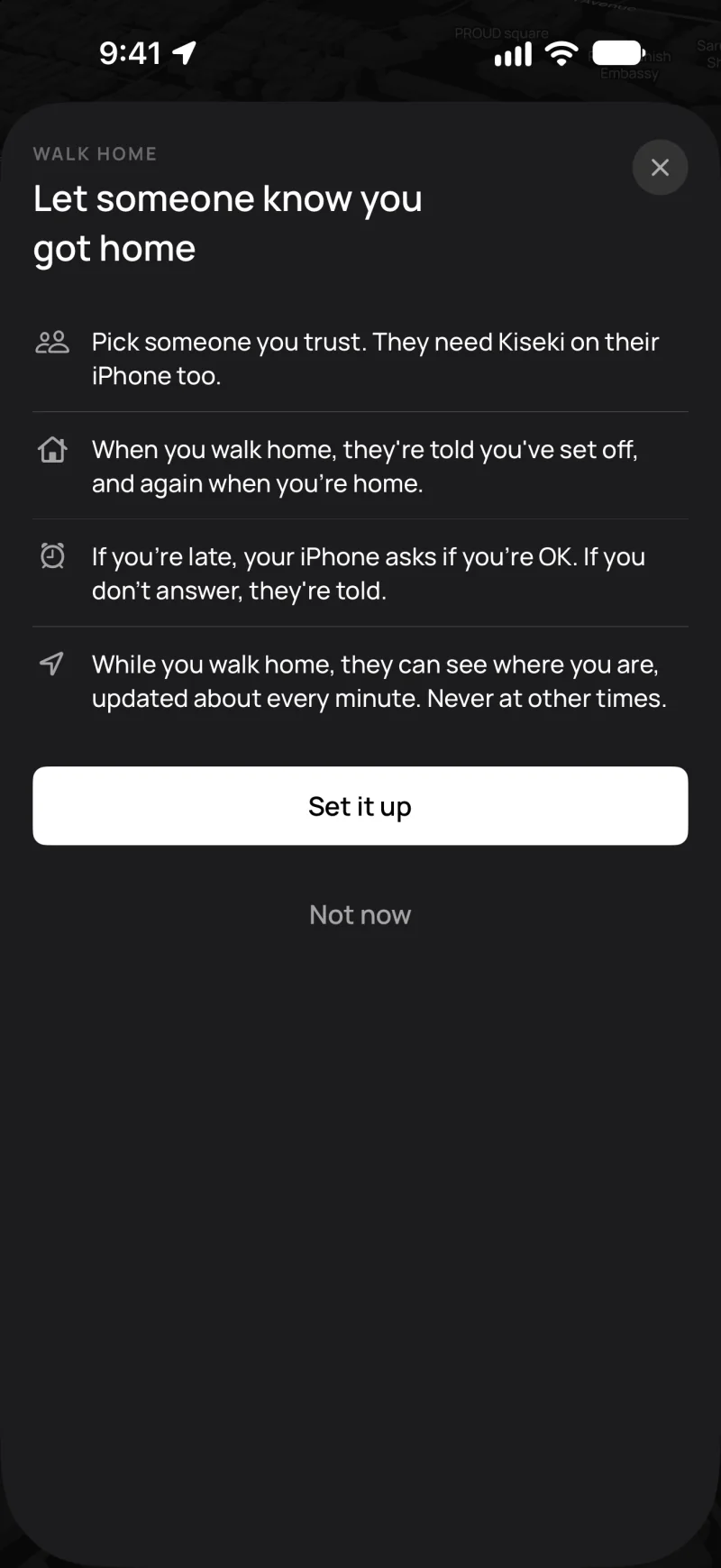
Use it when you walk home late, after the last train or in a new city. The people you pick know when you leave and when you get home.

Free · iPhone · iOS 26 or later
How it works
Set your home
Type your address or use your location. Then move the map so the pin is on your home.
Invite people
Send a private link with Messages, LINE or any app. Each link works for one person.
Tap Let someone know
On your walk home, tap it in the walking panel. They get a message that you left. They can see where you are on the way. Kiseki works out when you should get home.
Get home
When you get home, they get a message.
If you are late
Your iPhone rings and asks if you are OK. Tap I'm OK to get 15 more minutes, or tap I'm home. If you don't answer, your people get an alert.
What they can see
- Where you are, updated about every minute, but only while you walk home.
- Your location is shared through iCloud. Kiseki cannot see it.
- When you get home or turn it off, your location is removed.
What you need
- An iPhone with iOS 26 or later, signed in to iCloud.
- Your contacts need Kiseki on their iPhone.
- One contact is free. Kiseki+ will let you add up to five. It's coming soon.
Walk home is not an emergency service. It does not call the police or an ambulance. In an emergency, call your local emergency number.
Try Kiseki on your next walk.
Free on the App Store for iPhone.