Your route on a map
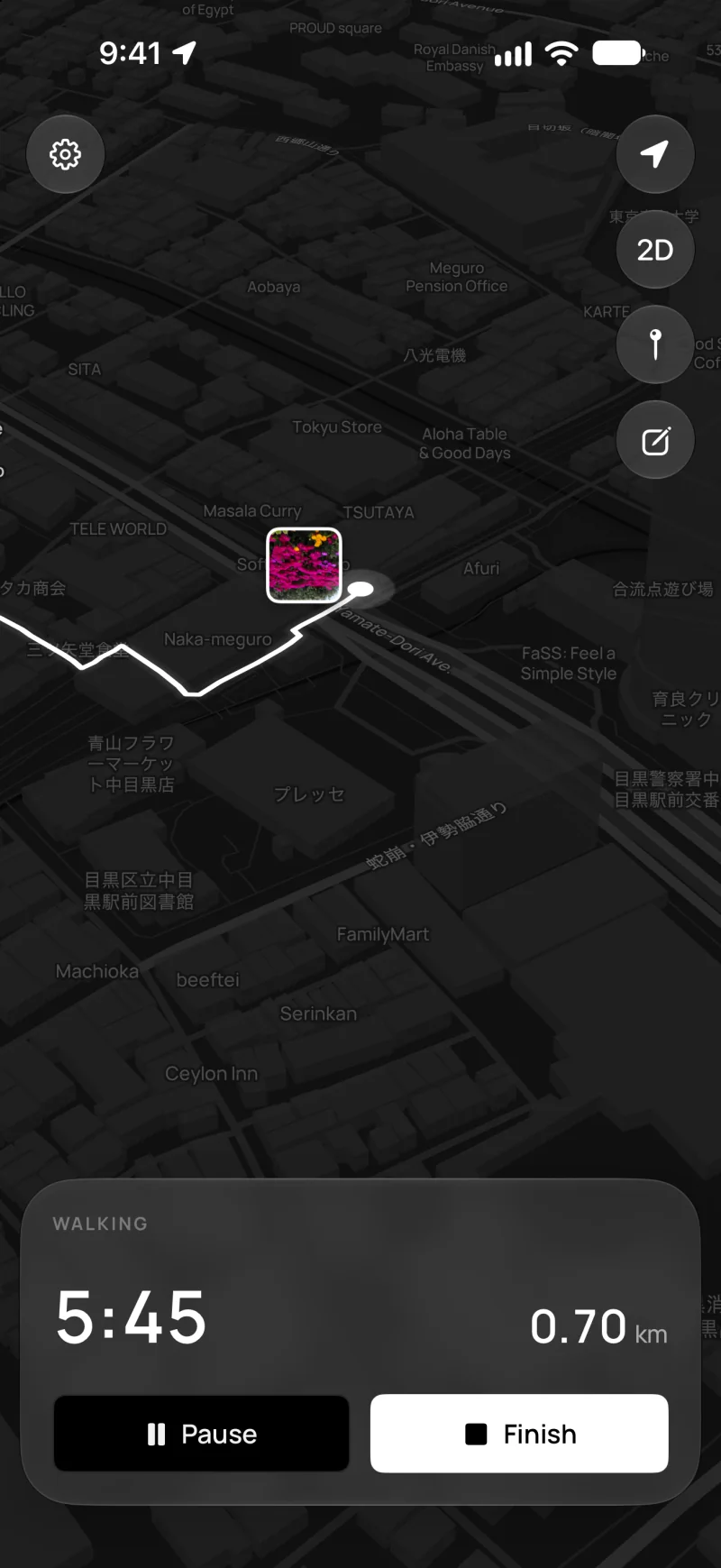
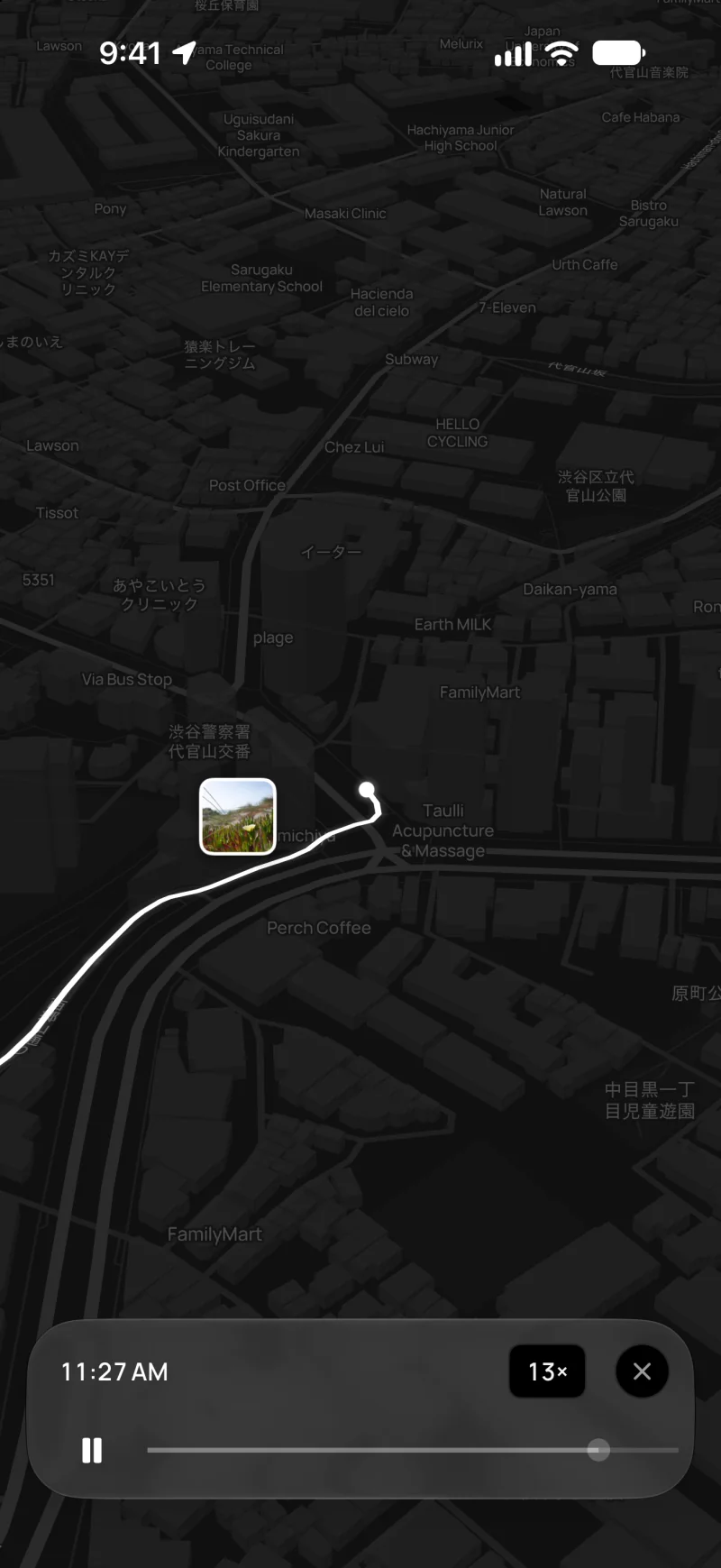
Kiseki draws a line as you walk. The map is black and white, so your route is easy to see.
Walk journal for iPhone
Kiseki saves the route of each walk. Photos you take on the way show up on the map, where you took them.

Free · iPhone · iOS 26 or later
Kiseki (軌跡) is a Japanese word. It means the trail something leaves as it moves.
How it works
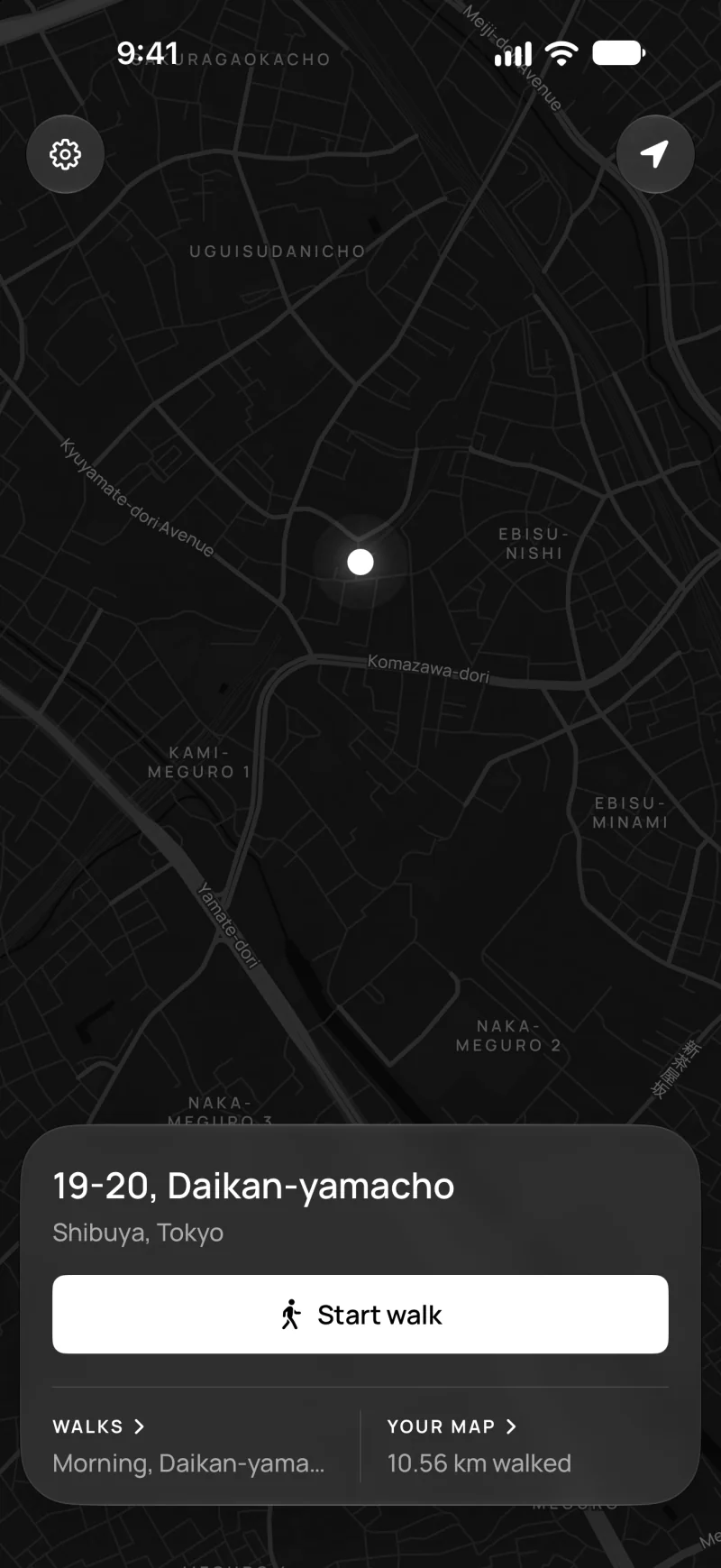
Tap Start walk. Kiseki keeps recording when your iPhone is locked.
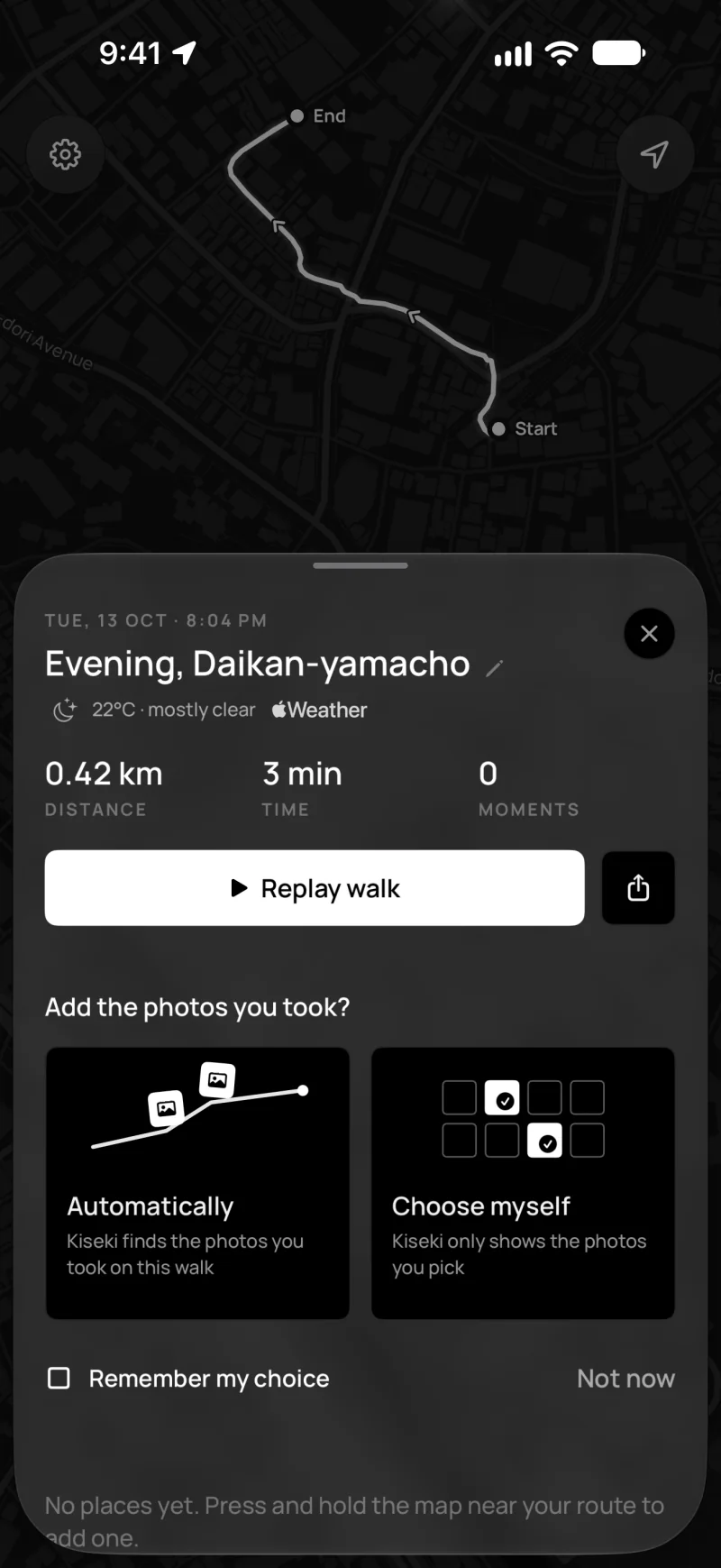
Use your Camera app as usual. After the walk, Kiseki can find them for you, or you choose them yourself.
See the time, distance and weather of your walk. You can replay it or share it as a video.
Features
Kiseki draws a line as you walk. The map is black and white, so your route is easy to see.
Only photos and videos you take during the walk show up. Screenshots and saved images are left out. They are never uploaded.
See how long it took to get from one photo or place to the next.
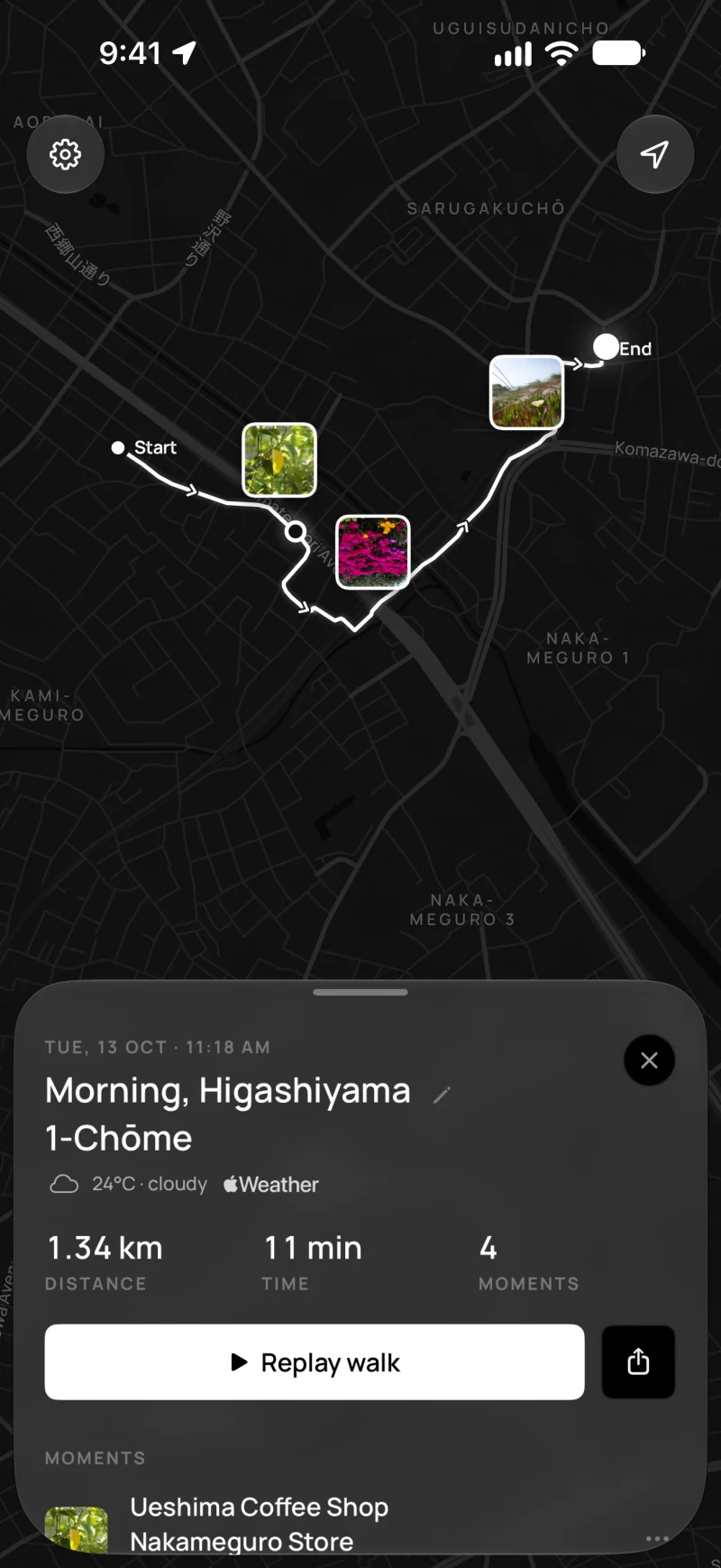
Watch your walk again on the map. Share it as a video or a picture for Stories, Reels or TikTok. Shares can hide where your walk starts and ends.
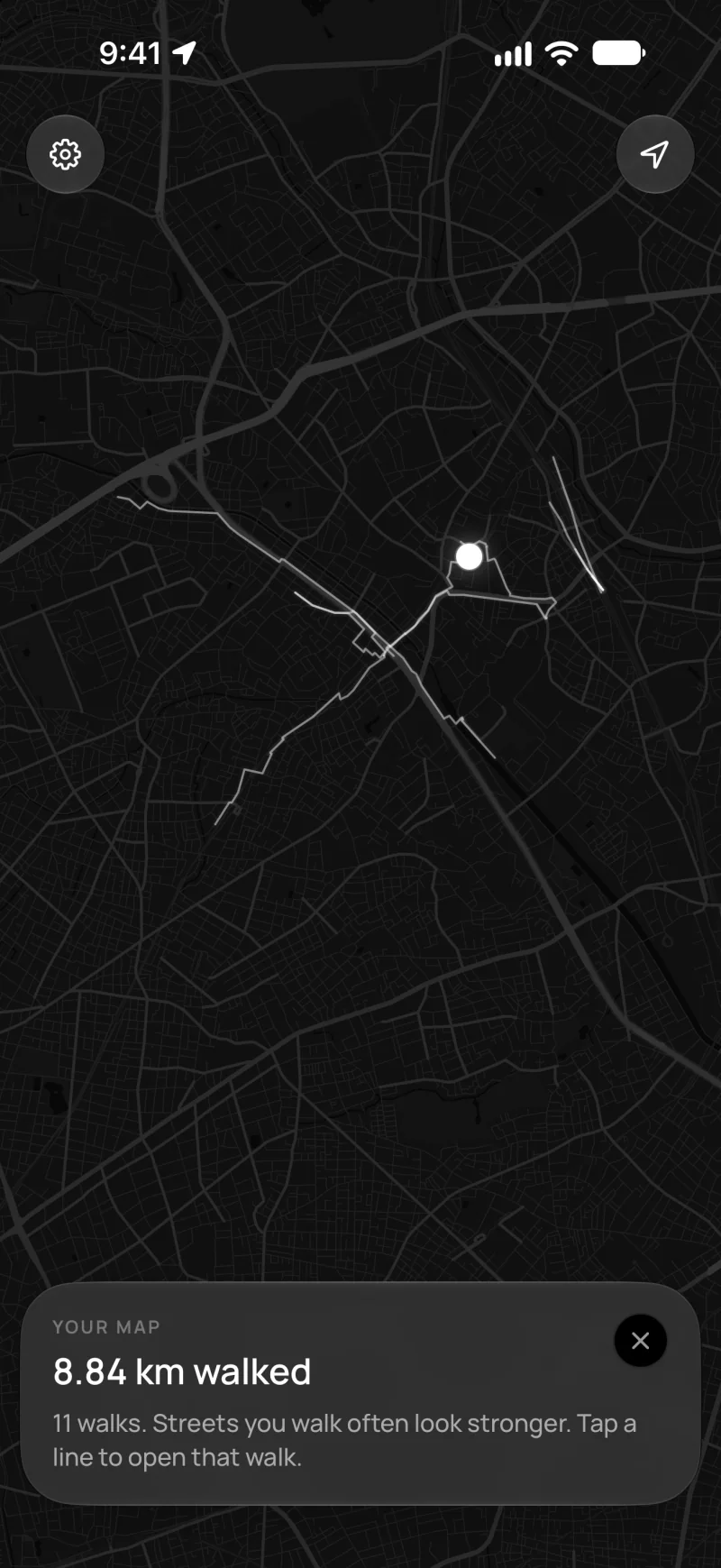
See all your walks on one map. Streets you walk often look stronger.
Press and hold the map to mark a café or a nice view. Forgot to do it on the walk? You can add places afterwards too. Any place or photo can have a note.
Kiseki saves the weather when you start your walk, like 24° and light rain.
See the time and distance on the Lock Screen and in the Dynamic Island. You can mark a place without unlocking.
Find a walk by place, date, weather or time of day. For example, try rain or last week.
Privacy
Kiseki has no account, no ads and no tracking.
Your walks, places and notes are saved on your iPhone.
Pick a walk's photos yourself, without giving Kiseki access to your library. Or let Kiseki find them. Photos are never uploaded.
Coming soon with Kiseki+. Back up your walks to your own private iCloud.
Coming soon with Kiseki+. Lock your walks with Face ID.
Kiseki+
Kiseki+ isn't available yet. Everything under Free works in the app today.
About
Questions
Kiseki is a walk journal app for iPhone. When you start a walk, it draws your route on a map. Photos you take on the walk show up where you took them.
No. It has no step goals, calories or rankings. It helps you remember where you went.
Yes. Recording walks, photos on your route, replays and Your map are all free. Kiseki+ is coming soon. It will add colour and satellite maps, more replay views, iCloud backup and Face ID lock.
Only photos and videos you took with the camera during the walk. Screenshots, screen recordings and saved images are left out. After a walk, Kiseki asks whether to add them automatically or let you choose them. You can set this once in Settings. Your photos are never uploaded.
Yes. Kiseki keeps recording in your pocket. You can see the time and distance on the Lock Screen.
On your iPhone. Kiseki has no account and no servers that keep your walks. A backup to your own iCloud is coming with Kiseki+.
Yes. You can choose a walk's photos yourself, without giving Kiseki access to your photo library. Everything else works without photos.
Yes, Kiseki can record without a connection. The map needs a connection to load new areas. If you were offline, the weather is added later.
No. Kiseki only records your route while a walk is on, from Start walk until you finish. It doesn't keep a location history in the background.
Yes. Start a walk when you head out. Kiseki records the route on foot, and on trains, buses or in a car too. The photos you take that day show up where you took them.
Not yet. Kiseki is only on iPhone for now.
English and Japanese.
Free on the App Store for iPhone.